January 5, 2026
Translate Cursive to Print: Convert Cursive Handwriting to Readable Text
Can't read cursive handwriting? Convert cursive letters, old documents, and connected handwriting into clean, readable typed text in seconds.
By Editorial Team
Cursive handwriting can look elegant—but for many people today, it's genuinely hard to read. Whether you're trying to decipher old family letters, historical documents, or handwritten journals, the flowing, connected style of cursive creates a real readability barrier. The good news is that you can translate cursive handwriting into clean, readable typed text using a tool designed specifically for cursive recognition. This guide shows you the fastest way to convert cursive to readable text, plus practical tips to get better results.
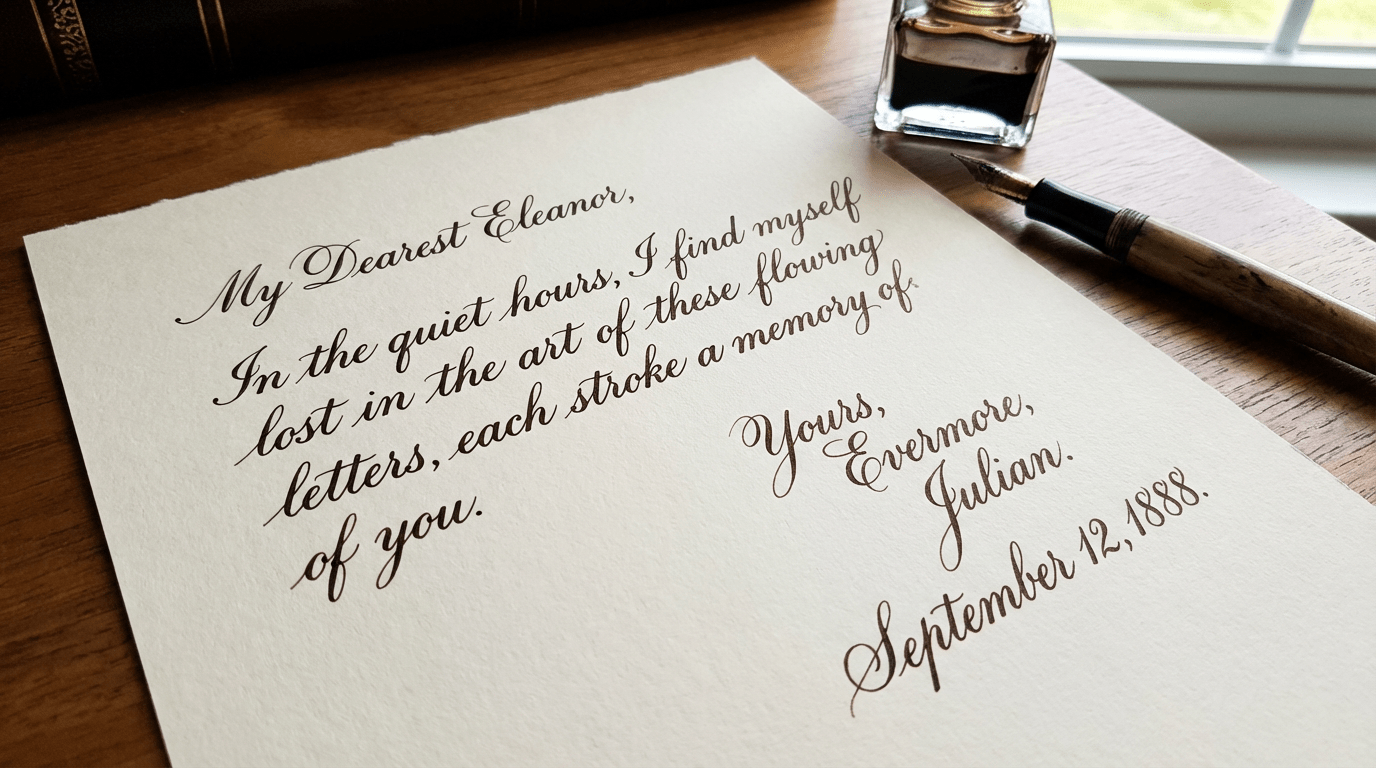
Quick Answer (TL;DR)
If you want to translate cursive handwriting to readable print text:
- Take a clear photo of the cursive text Good lighting and sharp focus make a big difference.
- Upload it to our Cursive Translator Go to our cursive translator.
- Click Process The tool converts cursive into readable typed text.
- Review and export Copy the result or save as .txt, .md, .csv, or .xlsx.
Convert cursive handwriting into readable text in seconds.
Why cursive is uniquely challenging
Cursive handwriting is fundamentally different from printed handwriting or typed text. It removes many of the visual boundaries that make text easy to read, both for humans and for OCR systems. Here's what makes cursive especially hard to translate:
Letters flow together without clear boundaries
In cursive, letters connect in continuous strokes, making it hard for OCR to determine where one character ends and the next begins.
Many cursive letters look nearly identical
Even humans struggle with cursive letter ambiguity. Common problem pairs include:
- r and v In fast cursive writing, these can be indistinguishable.
- n and m The difference is often just one extra hump, which can be hard to count in connected text.
- e and l Loop structures can look very similar depending on writing style.
- o and a Closed loops are often ambiguous without context.
Cursive styles vary dramatically across generations
Different teaching methods like Spencerian, Palmer, and D'Nealian create distinct letter formations. OCR must recognize multiple valid forms of the same letter.
Historical documents add extra challenges
Faded ink, yellowed paper, and physical damage compound the difficulty of reading old cursive documents.
What makes our cursive translator work better
Our cursive translator is specifically optimized for the challenges of cursive handwriting. It works well even on slightly blurry cursive photos—as long as the text is still readable to you, the tool can usually extract it successfully.
- Handles connected letterforms Unlike generic OCR tools that expect separated characters, our tool is trained to recognize continuous cursive strokes and determine word boundaries even when spacing is weak.
- Works with imperfect photos Phone photos of cursive often have slight blur or uneven lighting. Our tool can handle these real-world conditions better than tools optimized only for clean scans.
- Context-aware text reconstruction When cursive letters are ambiguous (like r/v or n/m), the tool uses surrounding words to determine the most likely interpretation, producing more accurate results.
How to convert cursive to print
Here's the complete process for converting cursive handwriting into readable typed text.
1. Upload your cursive image
Go to our cursive translator and upload a photo or scan of cursive handwriting. Supported formats include WebP, PNG, JPG/JPEG, and HEIC. The free plan supports files up to 10 MB per image.
2. Click Process
After uploading, click Process. The tool will analyze the cursive letterforms, identify connected strokes, and convert the handwriting into readable typed text. Processing typically takes just a few seconds, depending on image size and complexity of the cursive writing.
3. Review the result
Once processing finishes, review the output text. Pay special attention to commonly confused cursive letter pairs like r/v, n/m, and e/l. Check proper names and uncommon words, as these are harder for the tool to verify with context. Cursive that's clear and consistent usually requires only minimal corrections.
4. Copy or export the result
Copy the extracted text directly, or export it to a format that fits your workflow: .txt (plain text), .md (Markdown), .csv, or .xlsx. This makes it easy to paste into documents, notes apps, or spreadsheets for further use.
5. If needed, click Retry
If the output isn't accurate—for example, if words are merged together, letter pairs are confused, or the reading order seems off—click Retry to reprocess the same image. This can help improve results, especially for challenging cursive styles. For paid users, retries are free.
Upload your first cursive image and see the results.
Tips for better results
Cursive handwriting has unique characteristics that require special attention when photographing and processing. These tips are specifically designed to improve cursive recognition accuracy:
- Increase contrast more aggressively than you would for print Cursive strokes are thinner and more delicate than print handwriting. Use your phone's editor to boost contrast so the connected letterforms stand out clearly from the background.
- Watch for ink bleed and feathering Cursive's continuous strokes are more susceptible to ink spread on absorbent paper. If letters blur together, try adjusting contrast or sharpness before uploading.
- Use Retry with contrast adjustments if needed If the first attempt isn't accurate, try adjusting contrast or brightness before retrying. Cropping is optional—it can help if the page is very dense, but most images work well as-is.
- For historical documents, photograph in natural daylight Faded cursive on old paper benefits from indirect natural light, which reveals stroke details better than artificial lighting.
FAQ
Can you translate cursive handwriting to readable text?
Yes. Cursive handwriting can be converted into typed, readable text using OCR tools designed specifically for cursive recognition.
Does this work on old-style cursive handwriting?
Yes, it works on many cursive styles, including older handwriting. For highly ornamental or calligraphic styles, a clearer photo may be needed for best results.
Can it read cursive in languages other than English?
Yes, the tool supports cursive handwriting in multiple languages including French, German, Spanish, Italian, and other Latin-script languages. Results may vary depending on language-specific cursive conventions.
What image formats are supported?
Supported formats include WebP, PNG, JPG/JPEG, and HEIC. The free plan supports files up to 10 MB per image.
Can I export the result?
Yes. You can copy the extracted text directly or export to .txt (plain text), .md (Markdown), .csv, or .xlsx formats depending on your workflow needs.
How does Retry work?
If the first result isn't accurate, click Retry to reprocess the same image. The tool may produce different results on subsequent attempts. For paid users, retries are free.
Do you store my images?
Images are processed securely and temporarily stored only for the duration needed to complete the conversion. Processed images are automatically deleted from our servers after a short period.
Try it now
If you have a cursive handwriting image you need to read or digitize, the fastest way to see if it works is to test it directly.
Upload your cursive image and convert it to readable text in seconds.